
Mattermost Registration and Login
Account Creation
Click here to create an account. You need to make an account here to be able to access the chat server.
Mobile App Setup
- Download the Mattermost app from either the Apple App Store or Google Play Store.


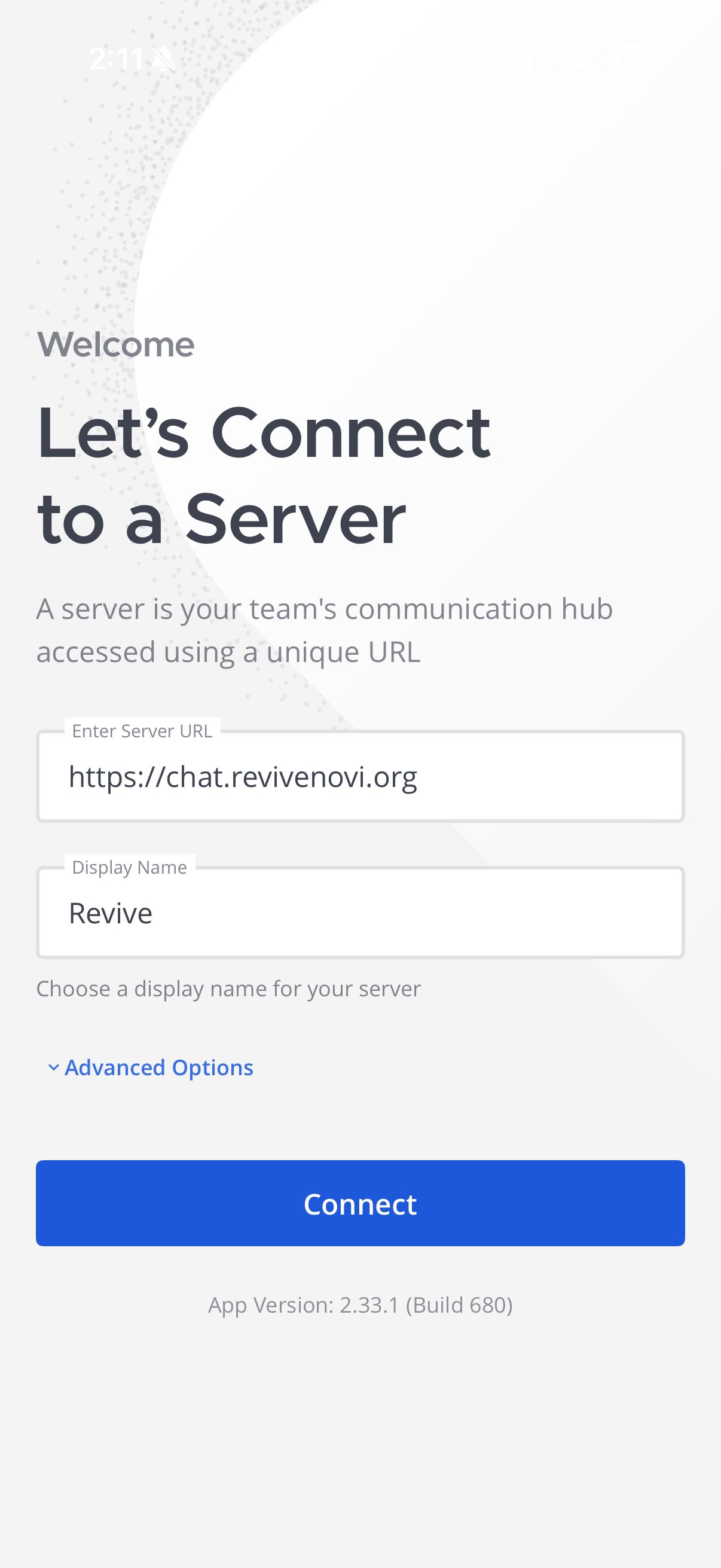
- If you are prompted to connect to a server use the following information:
Server url: https://chat.revivenovi.org
Display name: Revive
Browser/Desktop Setup
- Visit
chat.revivenovi.org
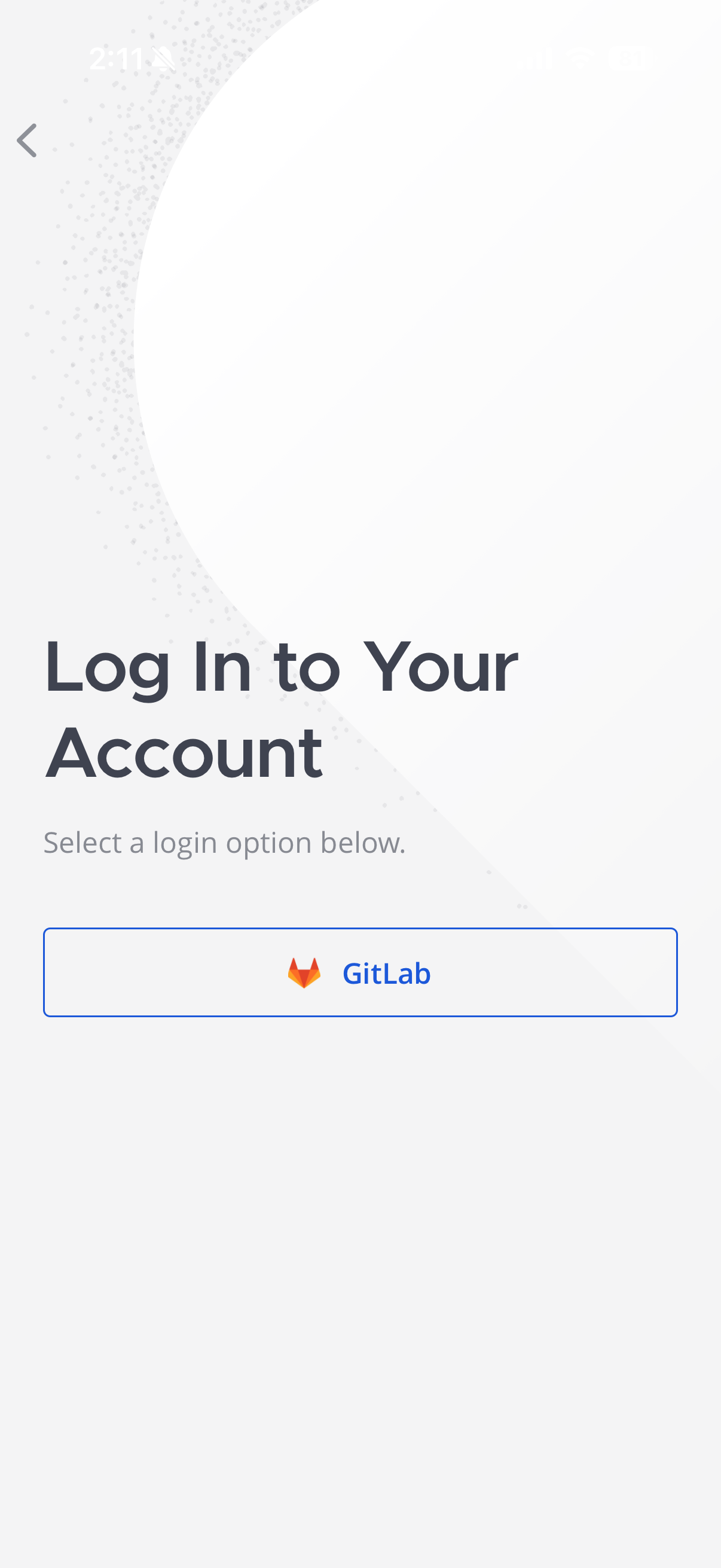
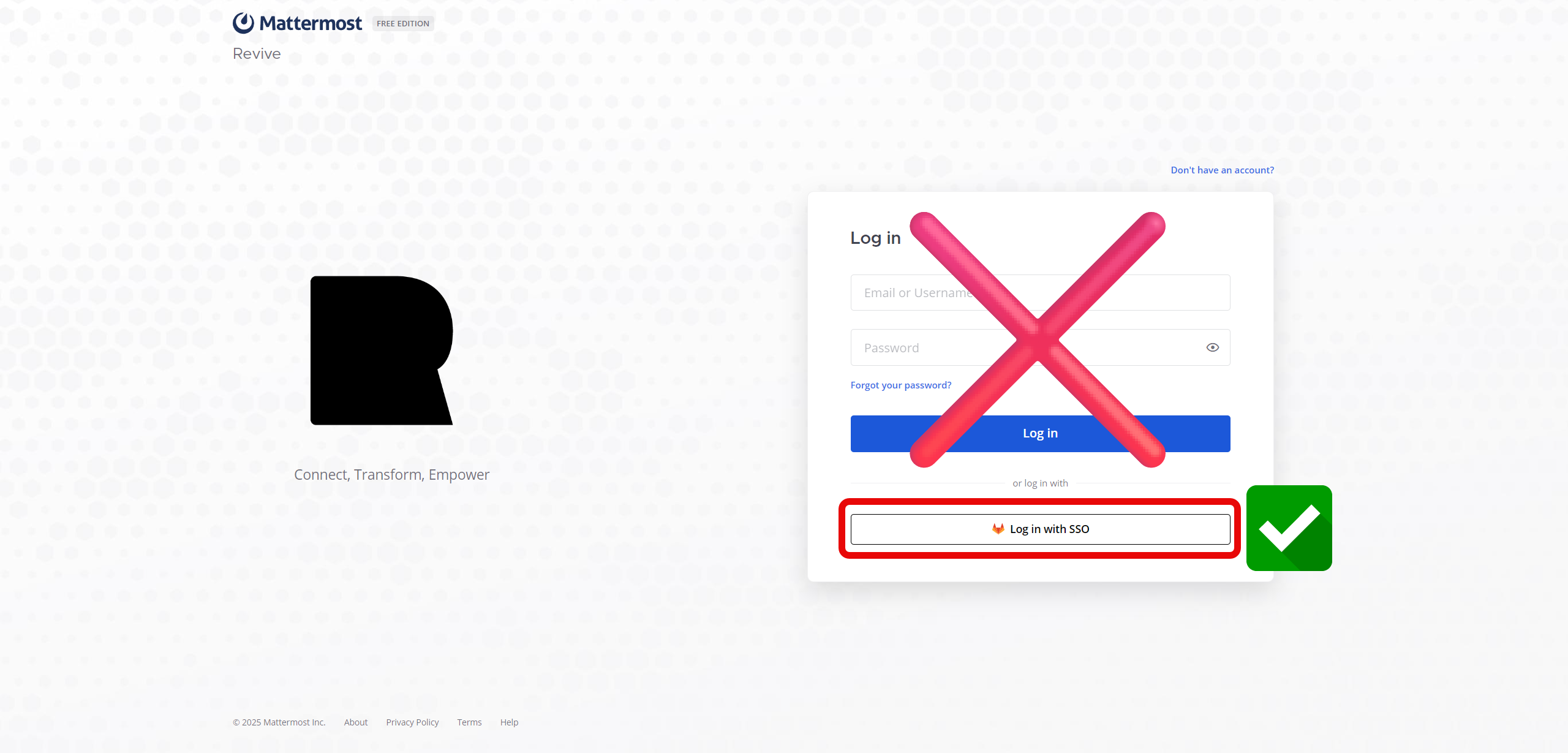
- Click on Sign in with SSO or GitLab

- If you're not already logged into the authentication server, log in and you should be automatically logged into the chat server.
- Always remember to log in using the SSO as that is the preferred way to log in to this service
Mobile App Setup
Download theMattermostapp from either the Apple App Store or Google Play Store.If you are prompted to connect to a server use the following information:
Server url: https://chat.revivenovi.org
Display name: Revive
Next Steps
Let's look into how to use the app!